- Your order
- Optional upgrade
- Pay
Good decision. Now let the first draft write itself into Notion
The Notion to Script Automation Kit is 4 files: an importable n8n workflow, a Notion database template with 10 sample topics, the tunable prompts and a setup guide with a Make build card.

Notion to Script Automation Kit
5 files · 463 KB
Launch offer price · ends 30 Nov, 11:59 pm IST
This is the one place the two are sold together in a single payment. It is not offered again during this purchase. GST included; nothing is added unless you choose it.
It finishes what you just started
The draft is waiting when you sit down
Set a topic's Status to To script. The workflow reads your brief and appends an outline, five hook options, the first 30 seconds and a full draft to the same Notion page.
It follows the same method
The built-in prompts use the HOLD structure and the same honesty rules: only the facts you supplied, and gaps marked for you to verify.
Built for non-developers
Import one file, replace four values in a single Config node, and run a test on the sample database. Every field is named in the guide.
It cannot run away with your budget
It drafts at most two pages per run by default, changes the Status so no page is drafted twice, and only ever adds to a page, never overwrites.
Notion to Script Automation Kit
- An n8n workflow export with 9 working nodes and 5 explanatory notes
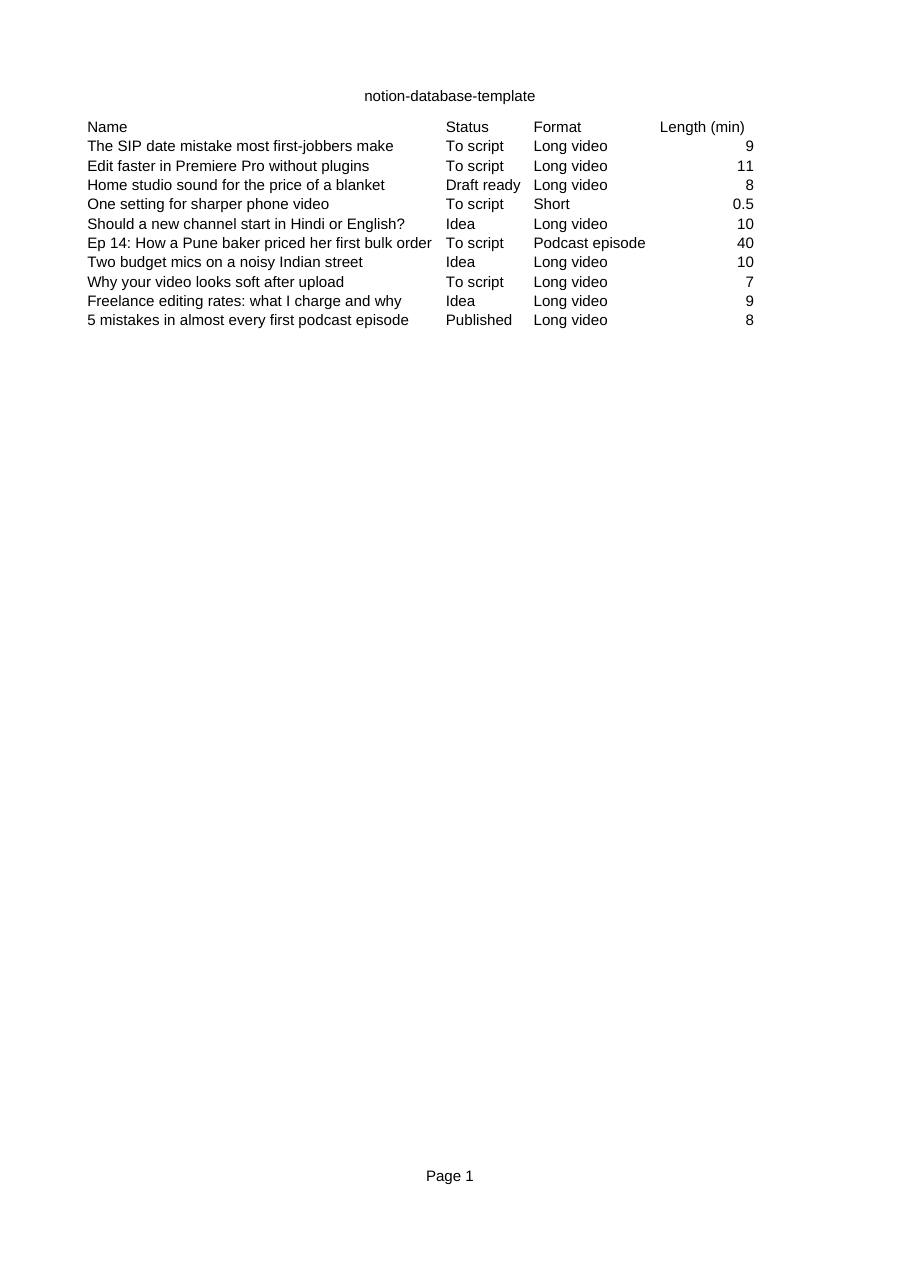
- A Notion database template with eleven columns and 10 fictional sample topics
- The system and user prompts in a separate file, with tuning notes
- A six-module Make build card for the same Notion to AI to Notion flow
- A troubleshooting table and steps for testing safely before going live
A few weeks from now you will have the method in your hands and a list of fifteen ideas in your pipeline. The prompts will be working. What will start to wear on you is the routine: open a chat, paste the context block, paste the brief, run the chain, copy the result into your notes, and do it again for the next idea.
That is the moment this kit is for. You fill in a row in Notion on Sunday night, mark three topics To script, and on Monday the drafts are sitting inside those pages, in sections, ready for the part that needs you: checking, cutting and making it sound like you.
See its file list (5)
- 00 Start here - Setup Guide.pdf
- notion-database-template.csv
- prompts.md
- READ ME FIRST.txt
- workflow.json
Want a script partner that already knows your channel?
The Script Partner AI Assistant Kit is 5 files that turn ChatGPT, Claude or Gemini into a private assistant trained on the HOLD method and on your own rules.
- Full system instructions to paste, so the assistant interviews you before it writes
- 2 knowledge files: script structure, and packaging, review and rules
- 12 conversation starters and 8 test questions with what a good answer looks like
- Setup steps for a custom GPT, a Claude Project and a Gemini Gem
- How to add your own voice profile and past scripts, and keep it private
Your order, with and without it
I am not technical. Can I set this up?
If you can import a file and copy four values into a form, yes. The guide walks through Notion, n8n and the first test with every field named. Allow about an hour for the first setup.
What will it cost to run?
The kit is a one-time purchase. Running it needs your own accounts: Notion, n8n or Make, and an AI provider API key that charges a small amount per draft depending on the model. Free tiers and prices change, so check each provider's current pricing and set a spending limit.
Will the drafts be ready to record?
No, and the kit says so on every page it writes. They are first drafts built on the HOLD structure. You verify the facts, read it aloud and rewrite it in your voice.
Notion to Script Automation Kit
Either way you go to the payment step next. Digital product: no refunds once the download link is issued.